

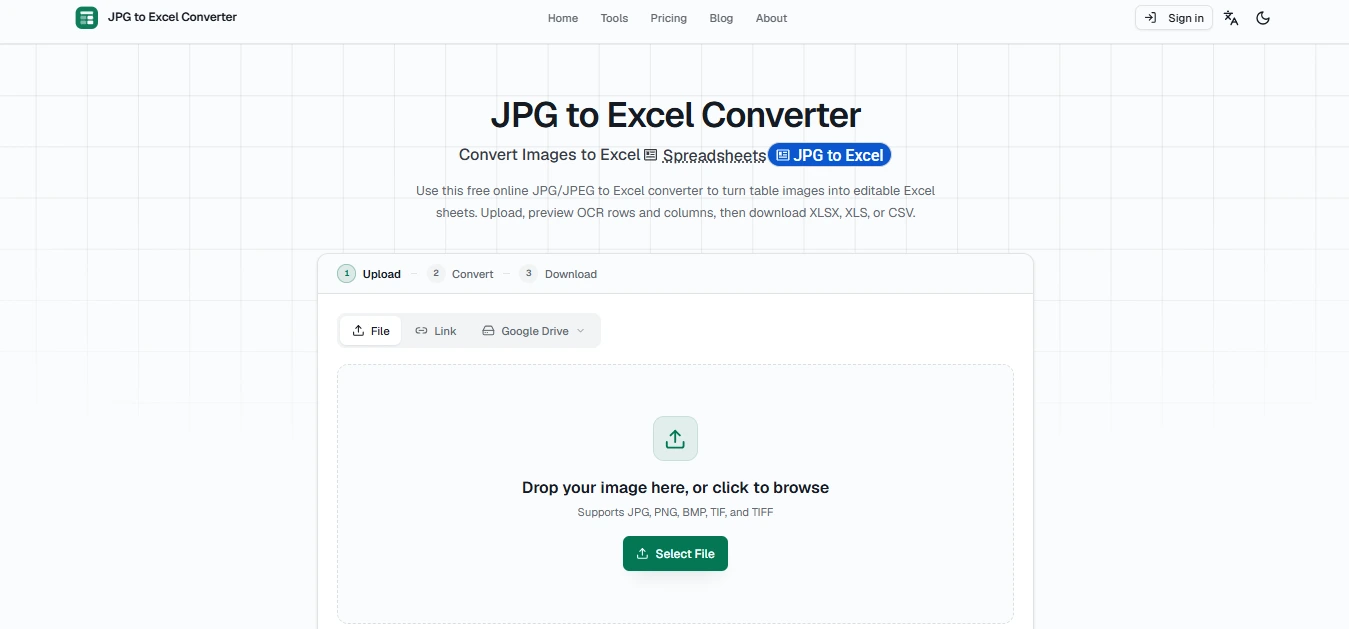
Overview
JPG2Excel is a free online image-to-Excel converter that uses OCR and AI to extract tables, text, numbers, rows, columns, and headers from JPG images, screenshots, scans, receipts, invoices, and photos. Users can upload an image, preview the extracted table, and download the results as editable XLSX, XLS, or CSV files. No software installation or account is required, making it convenient for students, businesses, researchers, accountants, and anyone who needs to turn image-based data into editable spreadsheets. The platform also supports batch processing, multilingual table OCR, and images from multiple sources.
Key features
- JPG to Excel conversion
- JPEG to Excel conversion
- AI-powered OCR
- Table structure recognition
- Rows and columns detection
- Header recognition
- Text and number extraction
- XLSX export
- XLS export
- CSV export
- Batch image processing
- Multilingual OCR
- OCR preview and retry
- Automatic image rotation
- Editable spreadsheet output
- Screenshot and photo support
- Receipt and invoice extraction
- Inventory table extraction
- Statement and report conversion
- Cloud file import
- Direct image link support
- No software installation
- No account required
Best for
Converting JPG tables to Excel Converting scanned documents to spreadsheets Extracting data from screenshots Converting invoices and receipts Digitizing printed tables Inventory data extraction Business data entry Accounting and financial data cleanup Research and data collection Students and educators Office and administrative work Converting photos of tables into Excel
Use cases
- Convert JPG images into Excel
- Convert JPEG tables into spreadsheets
- Extract tables from screenshots
- Digitize scanned documents
- Convert invoices into Excel
- Convert receipts into spreadsheets
- Extract inventory data
- Convert price lists into Excel
- Extract data from reports
- Convert statement tables
- Digitize printed forms
- Extract product names and prices
- Extract quantities and totals
- Convert photographed tables
- Prepare data for Excel analysis
- Import extracted data into Google Sheets
- Clean and organize OCR data
- Convert multiple table images in batches
Pros
- Free online converter
- No software installation required
- No account or registration required
- Supports multiple image formats
- Produces editable Excel files
- Supports XLSX, XLS, and CSV output
- AI-assisted OCR
- Recognizes rows and columns
- Supports batch processing
- Supports 109 OCR languages
- Works on desktop and mobile devices
- Automatic image rotation
- Preview before downloading
- Useful for screenshots and scanned tables
- Supports invoices, receipts, and reports
- Files are deleted after conversion
Considerations
- OCR accuracy depends on image quality
- Blurry images may produce incorrect values
- Glare and shadows can affect recognition
- Heavily tilted images may need correction
- Merged cells may require manual cleanup
- Handwritten tables may require additional review
- Complex layouts may not be reproduced perfectly
- Colors, fonts, and borders may require manual formatting
- Important financial data should be verified after conversion
- OCR results should be reviewed before business use
Frequently asked questions
What is JPG2Excel?
JPG2Excel is an online OCR converter that turns JPG and other table images into editable Excel spreadsheets.
Can I convert JPG to Excel online?
Yes. Upload a JPG table image and convert the detected data into an editable XLSX, XLS, or CSV file.
Is JPG2Excel free?
Yes. The site offers free image-to-Excel conversions, with free users currently receiving three single-image conversions per day.
Does JPG2Excel require an account?
No. The converter can be used without registration or an account.
What image formats are supported?
JPG, JPEG, PNG, BMP, TIF, and TIFF images are supported.
Can I convert a photo of a table to Excel?
Yes. Clear photos of tables can be processed with OCR and converted into editable spreadsheet cells.
Can I convert screenshots to Excel?
Yes. Screenshots containing readable tables can be uploaded and converted into editable Excel data.
Does JPG2Excel use OCR?
Yes. OCR and AI are used to recognize text, numbers, rows, columns, headers, and table structure.
Can I download the result as XLSX?
Yes. The converter provides editable XLSX output along with XLS and CSV options.
Can I convert JPG to XLS?
Yes. JPG tables can be converted into the older XLS spreadsheet format.
Can I convert JPG to CSV?
Yes. The extracted table can also be downloaded as a UTF-8 CSV file.
How accurate is JPG2Excel?
Accuracy depends on image quality and table complexity. Clear, sharp, straight images generally produce better results.
Does JPG2Excel support multiple languages?
Yes. The OCR system supports table recognition in 109 languages.
Can I convert multiple JPG files at once?
Yes. The platform supports batch processing for multiple images.
Can I use JPG2Excel on a phone?
Yes. The browser-based converter works on modern mobile devices, including iOS and Android.
Are uploaded files stored?
The site states that uploaded files are used for conversion and deleted after the result is generated.
Can JPG2Excel convert invoices and receipts?
Yes. It can extract line items, quantities, prices, totals, tax rows, and other visible table information from suitable images.
Can JPG2Excel convert scanned documents?
Yes. Clear scanned tables and reports can be converted into editable spreadsheet data.
Does JPG2Excel preserve the original formatting?
It focuses on extracting table structure and cell data, so colors, fonts, borders, and complex formatting may require manual adjustment.
Why are some Excel cells incorrect?
Low resolution, glare, skew, shadows, merged cells, and unclear text can reduce OCR accuracy.
Do I need to install Excel or other software?
No. JPG2Excel works directly in a web browser, although spreadsheet software is useful for editing the downloaded files.