

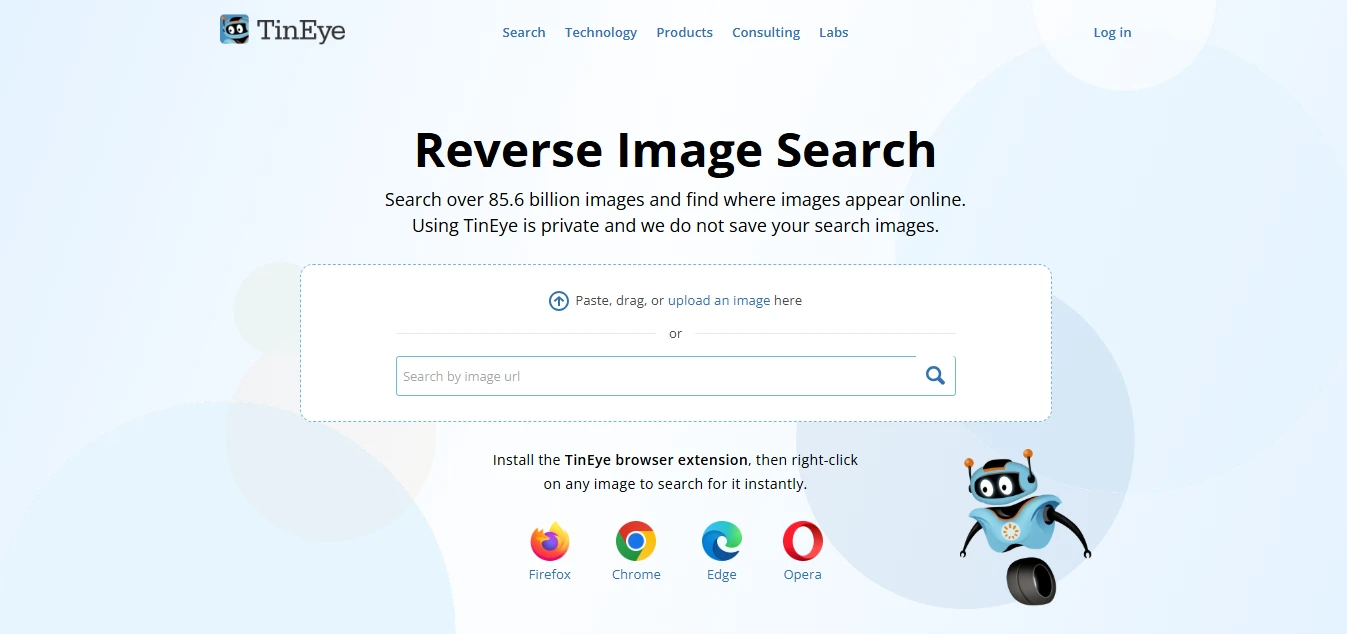
TinEye is a reverse image search engine that uses image recognition technology to find where an image appears online. It can help users discover image matches, modified or edited versions, image sources, higher-resolution copies, and websites where an image is being used. TinEye also offers browser extensions, API solutions, image tracking, and image-recognition products for businesses.
Key features
- Reverse image search
- Image recognition technology
- Find exact and modified image matches
- Detect cropped and resized images
- Find image sources and online appearances
- Find higher-resolution versions
- Search by image upload
- Search by image URL
- Drag-and-drop image search
- Image comparison tool
- Best Match sorting
- Most Changed sorting
- Biggest Image sorting
- Newest results sorting
- Oldest results sorting
- Filter results by website or domain
- Filter stock photography results
- Browser extensions
- Image tracking with TinEye Alerts
- TinEye API
- Image verification and fraud detection
Best for
Finding the original or earliest known online appearances of images Checking where an image is being used online Finding modified or edited copies of images Finding higher-resolution versions of images Image verification and research Copyright and image attribution research Finding stock image sources Monitoring proprietary images online
Use cases
- Reverse image searching
- Finding image sources
- Tracking image usage online
- Detecting duplicate images
- Finding edited or cropped versions
- Verifying image authenticity
- Researching image history
- Finding higher-resolution images
- Checking stock photography
- Copyright research
- Image attribution
- Content moderation
- Image verification
- Fraud detection
- Monitoring company images and logos
Pros
- Accurate image-recognition technology
- Finds exact and modified image matches
- Can detect cropped, resized, rotated, and edited versions
- Searches a large and continuously growing image index
- Multiple ways to submit an image
- Useful sorting and filtering options
- Includes stock-image filtering
- Provides image comparison functionality
- Browser extensions make searching easier
- Search images are not added to the TinEye index
- Useful for copyright and image-source research
- Offers API and business solutions
Considerations
- Does not primarily find visually similar images with the same subject
- Search results depend on images being present in TinEye's index
- A missing result does not necessarily mean the image does not exist online
- The "First found on" date does not necessarily indicate when an image was originally published
- Finding an image through TinEye does not grant permission to use it
- Copyright ownership should be verified separately
- Some advanced business features and API services may require paid plans
- Very small images may produce less effective results
- Visible watermarks can affect search performance
Frequently asked questions
What is TinEye?
TinEye is a reverse image search engine that uses image recognition to find matching images and their online appearances.
What can TinEye be used for?
TinEye can be used to find image sources, modified versions, higher-resolution copies, and websites where an image appears.
Can TinEye find edited images?
Yes. TinEye can find many altered versions of an image, including cropped, resized, rotated, and edited copies.
Can I search TinEye using an image URL?
Yes. TinEye supports searching by image URL as well as uploading, pasting, or dragging and dropping an image.
Does TinEye save uploaded images?
TinEye states that search images are not saved or added to its image index and are only kept briefly to display search results.
Can TinEye find similar images?
TinEye primarily finds exact or altered copies rather than different images that simply contain the same subject.
Can TinEye find higher-resolution images?
Yes. One of TinEye's uses is locating higher-resolution versions of an image.
Can TinEye help with copyright research?
Yes. TinEye can help locate image sources and possible copyright owners, although finding an image does not give permission to use it.
Does TinEye have browser extensions?
Yes. TinEye provides extensions for browsers including Chrome, Firefox, Edge, and Opera.
Does TinEye have an API?
Yes. TinEye offers an API for automated reverse image searching, image verification, stock-image identification, fraud detection, and compliance use cases.