
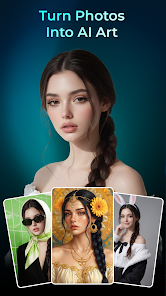
About this app
Artorys: AI Photo Art is an AI-powered photo editing and art-generation app developed by 360Control Center – PDPAPP. It is designed to turn ordinary photos—especially portraits—into stylized AI artwork using ready-made visual styles and AI processing. The current Google Play listing shows more than 5 million downloads and was last updated on August 27, 2026.
2. Purpose
The main purpose of Artorys is to make artistic photo transformation quick and accessible without requiring advanced photo-editing skills. Users provide an existing image, select an AI style or preset, and let the app generate a new artistic version of the photo.
It focuses primarily on AI portraits, artistic photo transformations, and digital artwork, rather than being a full traditional photo editor.
3. Main Features
According to its official Google Play listing, the main capabilities include:
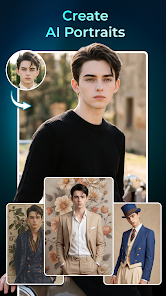
- AI Portrait Generator: Converts portrait photos into artwork using built-in presets.
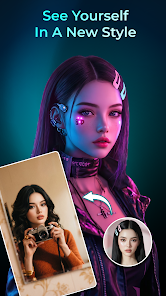
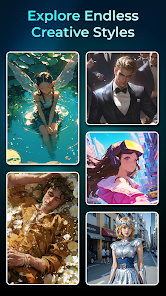
- AI Style Transfer: Applies different artistic appearances, including realistic, abstract, anime, vintage, fashion, and surreal styles.
- AI Art Generator: Turns photos into digital artwork using AI-based style transfer and image synthesis.
- Preset Style Library: Provides different visual looks, ranging from minimalist designs to cinematic styles.
- High-resolution output: Generated pictures can be exported in high quality for sharing or use in other projects.
- Previewing: Users can preview the AI-transformed result before using the final image.
The developer notes that results can vary depending on the original photo and selected style. The app can also refuse to process images it identifies as containing sensitive content.
4. Uses
Artorys can be used to turn selfies and portraits into AI artwork, create distinctive profile or avatar images, experiment with anime or artistic looks, convert photographs into digital paintings, create decorative images for social media, and produce artistic versions of personal photos for keepsakes.
Because the workflow is largely preset-based, it can also be useful when someone wants an artistic image quickly without manually working with complicated editing tools.
5. Who Can Use It?
Content creators can use Artorys to create stylized portraits, profile pictures, and visual material for social posts. Freelancers and professionals may find it useful for quickly experimenting with artistic profile images or creative concepts.
Students and general users are likely to benefit most from its simplicity because professional editing experience is not required. Businesses could potentially use generated visuals for creative or social-media purposes, but the publicly available information I found does not clearly specify commercial-use licensing rights, so businesses should verify the applicable terms before using generated images commercially.
6. How to Use Artorys
The basic process is straightforward: install and open Artorys, select/upload a photo, choose one of the available AI styles or presets, let the app process the image, preview the generated result, and then save, share, or use the finished image. This workflow is explicitly described in the official store listing.
7. Free & Paid Plans
A free download is available. The current Google Play listing also states that Artorys contains advertisements.
However, I could not verify a reliable, current official breakdown of a Premium/Pro subscription, its price, or specific paid-only features from the publicly available official listing. Therefore, it would be misleading to claim particular premium features or prices. Users should check the current in-app purchase screen for any paid options available in their country.
8. Pros & Cons
Advantages: Artorys has a simple photo-to-art workflow, requires little editing knowledge, provides numerous artistic styles, supports portrait transformations and high-resolution output, and is free to download. Its preset approach should make experimentation relatively quick.
Limitations: Results depend on the quality of the source image and chosen style, so output quality may vary. The free app contains ads. Some sensitive images may be rejected, and detailed information about premium plans and commercial licensing is not clearly available in the public listing. Google Play’s developer-provided Data Safety section also says the app may share app activity with third parties, may collect device or other IDs, encrypts data in transit, and states that data can’t be deleted; users concerned about privacy should review the current Data Safety and privacy information before uploading personal photos.
9. Platforms
At present, I could verify Android availability through Google Play. The listing supports Android phones and tablets.
I could not verify an official Artorys iOS/iPhone, Windows, macOS, or web application, so those platforms should not be assumed to be supported.
10. Final Summary
Artorys: AI Photo Art is most suitable for Android users, social-media creators, students, and casual users who want to transform existing photos into attractive AI artwork without learning complicated editing software. Its simple presets, portrait generation, style transfer, and high-resolution output make it convenient for creative experimentation, although users should consider its ads, variable AI results, privacy disclosures, and unclear public information about paid plans and commercial licensing.