


About this app
ChatGPT is an AI assistant developed by OpenAI. It understands natural-language instructions and can generate conversational responses, helping people write, learn, research, analyze information, create content, solve problems, and complete many everyday or professional tasks.
2. Purpose
ChatGPT is designed to make advanced AI useful through a simple conversation. Instead of learning special commands, users can describe what they need in normal language, ask follow-up questions, and refine the result.
It can assist with quick questions and explanations as well as larger tasks involving writing, research, coding, planning, documents, data, and creative work.
3. Main Features
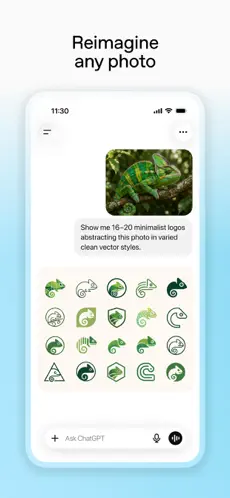
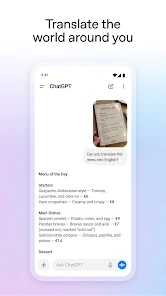
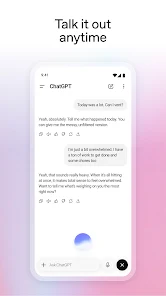
Important ChatGPT capabilities include conversational AI, writing and rewriting, summarization, translation, reasoning and problem-solving, coding assistance, web search with source citations, image understanding and generation, file uploads, spreadsheet/data analysis, and voice conversations.
Depending on the user’s plan and availability, ChatGPT also provides more advanced tools such as Deep Research, Projects for organizing longer-running work, scheduled tasks, custom GPTs, and integrations or connected tools. Some capabilities and usage limits differ between plans, regions, devices, and accounts.
4. Uses
Users can use ChatGPT for tasks such as:
- Writing: Emails, articles, reports, social posts, resumes, scripts and other content.
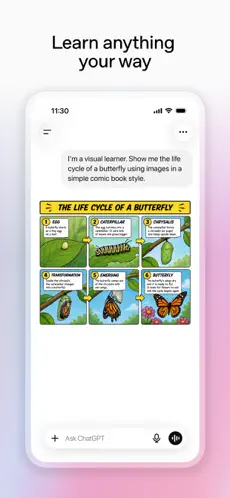
- Education: Explanations, study guides, practice questions, brainstorming and tutoring.
- Research: Search the web, compare information, summarize sources and perform deeper research.
- Programming: Explain code, find bugs, write code and work through technical problems.
- Documents & data: Analyze PDFs and other files, work with spreadsheets, summarize datasets and create visualizations.
- Images: Understand uploaded images and generate or edit images using text instructions.
- Languages: Translate text, improve grammar and practice languages.
- Planning: Create schedules, travel plans, project plans, checklists and ideas.
- Business: Draft proposals, analyze information, brainstorm marketing ideas and assist with professional workflows.
5. Who Can Use It?
Students can use ChatGPT to understand difficult subjects, create study materials and practice concepts. They should still verify important facts and follow their school’s rules about AI-generated work.
Content creators can use it for brainstorming, scripts, outlines, captions, editing and images. Freelancers can use it for research, client communication, proposals, planning and repetitive writing.
Businesses and professionals can use ChatGPT for analysis, drafting documents, research, coding, brainstorming, internal workflows and productivity. General users can use it for everyday questions, learning, recipes, travel planning, writing assistance and creative projects.
6. How to Use ChatGPT
Getting started is straightforward. Open ChatGPT on the web or install an official app, sign in where required, type your question or instruction into the message box, and send it. You can then continue the conversation with follow-up instructions such as “make this shorter,” “explain this more simply,” or “give me an example.”
A good prompt clearly states what you want, relevant context, and the desired output. For example: “Explain photosynthesis to a 12-year-old in five simple bullet points.”
Start using ChatGPT
7. Free & Paid Plans
Yes, ChatGPT has a Free plan. It provides core ChatGPT functionality, although usage and access to some models and advanced tools are limited compared with paid plans.
OpenAI also offers consumer paid tiers including Go, Plus and Pro, with availability and pricing potentially varying by country. ChatGPT Plus is currently US$20/month and provides higher limits, broader model access, advanced reasoning and expanded access to features such as voice, image generation, file analysis and Deep Research.
For organizations, Business and Enterprise plans provide additional collaboration, administration, security, integrations and organizational controls.
Plans, models, limits and prices can change, so the official pricing page is the best place to verify what is currently available for a particular account or country.
Official ChatGPT plans and pricing
8. Pros & Cons
Advantages: ChatGPT is easy for beginners to use, supports many different types of work in one interface, handles follow-up conversations, can work with text, images, files and data, offers current web search, and has both free and more capable paid options.
Limitations: AI-generated answers can sometimes be incorrect, incomplete or misleading, so important information—particularly medical, legal, financial, academic or other high-stakes information—should be verified. Usage limits and feature availability depend on the plan, and the best models or advanced tools may require payment. Users should also be thoughtful about uploading confidential or sensitive information and review the applicable privacy/data controls. OpenAI itself notes that plan limits and model availability can change.
9. Platforms
ChatGPT is officially available through the Web, Android and iOS, as well as desktop applications for Windows and macOS. OpenAI’s current desktop download page provides the appropriate desktop version.
10. Final Summary
ChatGPT is especially useful for students, writers, creators, freelancers, developers, professionals, businesses and everyday users who want AI assistance with learning, writing, research, problem-solving, coding, images, data and productivity. The Free plan is sufficient for many casual users, while people who use ChatGPT frequently or for more demanding professional work can benefit from the higher limits and advanced capabilities offered by paid plans.