

About this app
Google’s Gemini is a generative AI assistant designed to help users research, learn, write, create, analyze information, solve problems, code, and perform everyday tasks. It supports multiple types of input, including text, voice, images, files, video, and camera/screen content, depending on the device and feature being used.
2. Purpose
Google Gemini is designed to work as a general-purpose AI assistant. Instead of only searching for information, users can have conversations with it, ask follow-up questions, create content, analyze uploaded material, brainstorm ideas, study subjects, research topics, and get help completing tasks.
It is particularly integrated with Google’s ecosystem. Depending on account, device, region, and permissions, Gemini can connect with Google services and use information from apps such as Gmail, Calendar, Maps, Photos, YouTube, and others.
3. Main Features
Gemini offers a broad set of capabilities, although not every feature is available to every account, country, device, or subscription tier.
- AI chat and reasoning: Ask questions, explain difficult subjects, brainstorm, plan projects, solve problems, write content, and get coding assistance.
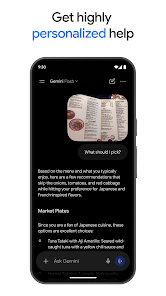
- Multimodal understanding: Upload documents, spreadsheets, photos, videos, and other supported files for summaries, analysis, explanations, and insights.
- Gemini Live: Have natural spoken conversations with Gemini. On supported mobile devices, users can also share their camera or screen and discuss what Gemini can see.
- Deep Research: Gemini can research a subject using Google Search and supported additional sources, develop a research plan, analyze sources, and produce a detailed report.
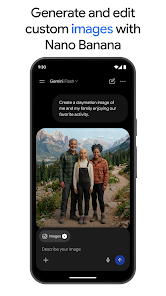
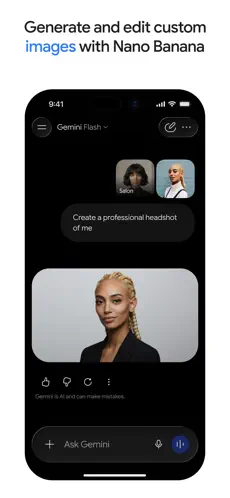
- Image and media creation: Gemini includes tools for generating and editing images, as well as other media-generation capabilities whose availability and limits depend on the plan and region.
- Gems: Users can create customized versions of Gemini with reusable instructions for particular jobs or workflows.
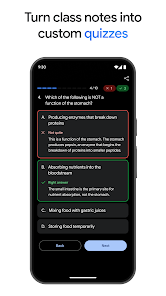
- Learning tools: Gemini offers features such as Guided Learning and can help create quizzes, practice material and other study resources.
- Canvas and creation tools: Gemini can help users develop documents, ideas, prototypes and other projects. It can also generate supported files such as Docs, Sheets, PDF, DOCX, XLSX, CSV, Markdown and text files from conversations.
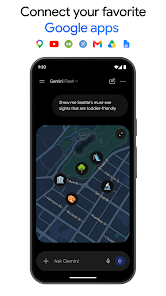
- Google app connections: Supported Connected Apps allow Gemini to work with information and services across Google’s ecosystem. Availability depends on the account and region.
4. Uses
Gemini can be used for many everyday, educational, creative, and professional tasks. For example, users can ask it to summarize an article or document, explain a difficult concept, draft an email, brainstorm business ideas, create an outline, analyze a spreadsheet, study for an exam, generate practice questions, write or debug code, plan a project, research a topic, analyze an image, create visual content, or have a voice conversation.
It can also turn uploaded information into useful summaries and insights, making it especially helpful when working with longer documents or mixed media.
5. Who Can Use It?
Students can use Gemini to understand difficult subjects, study with Guided Learning, summarize study materials, generate quizzes and practice questions, and research topics. Students should still verify important facts and follow their school’s rules on AI-assisted work.
Content creators can use it for brainstorming, outlines, scripts, captions, drafts, images, research, and creative concepts. Freelancers and professionals can use it for writing, summarization, research, coding, document analysis, project planning, and repetitive workflows.
Businesses can use Gemini through eligible business/Workspace offerings for productivity and AI-assisted work. General users can use it for questions, planning, learning, writing, creative projects and everyday assistance.
Account, age, country and administrator requirements can affect availability.
6. How to Use Google Gemini
Getting started is straightforward. Visit the Gemini website or install the official mobile/desktop app, sign in with an eligible Google Account when required, and enter a question or instruction in the prompt box. You can then continue the conversation with follow-up questions or, where supported, add images/files and use tools such as Gemini Live or Deep Research.
Some Gemini functionality can be used without signing in, but signing in is required for additional features and saved activity.
7. Free & Paid Plans
Yes, Gemini has free access. Users without a paid Google AI subscription can access Gemini models and a number of major features, including Canvas, Gems and Connected Apps, although usage limits apply.
Google currently offers paid consumer tiers including Google AI Plus, Google AI Pro, and Google AI Ultra. Paid plans mainly provide higher Gemini usage limits, greater access to advanced models and Deep Research, larger context capacity on higher tiers, additional AI/media-generation benefits, Google cloud storage, and other Google AI features. Ultra provides the highest access and includes advanced capabilities such as Deep Think.
Pricing and some plan benefits vary by country, so it is better to check Google’s official plan page rather than relying on a single global price.
Compare official Google AI plans
8. Pros & Cons
| Advantages | Limitations |
|---|---|
| Strong general-purpose AI assistant | AI-generated answers can still contain mistakes |
| Handles text, images, files and other media | Important information should be independently verified |
| Gemini Live provides natural voice interaction | Some features vary by country, device, language and account |
| Strong integration with Google services | Free users have lower usage limits |
| Deep Research is useful for complex research | Deep Research and advanced models have usage limits |
| Useful for writing, learning, coding and creativity | Some advanced capabilities require a paid Google AI plan |
| Available across mobile, web and desktop | Connected-app features require appropriate permissions/account access |
Google itself specifically warns that Gemini can make mistakes and recommends double-checking its responses rather than relying on them for professional advice.
9. Platforms
Google Gemini is currently available through the Web, Android, iPhone/iPad, Windows, and macOS.
The web version works through supported browsers. Google also provides official Gemini apps for Android and iOS/iPadOS. Google now documents native desktop apps as well: Windows requires Windows 10 or later with other minimum requirements, while the Mac app requires macOS Sequoia 15 or later, Apple Silicon, and other minimum hardware requirements.
10. Final Summary
Google Gemini is especially useful for students, professionals, creators, developers, researchers, and people who already use Google’s services. Its combination of AI chat, multimodal file analysis, Gemini Live, Deep Research, creative tools and Google integrations makes it useful for both everyday questions and more complex work.
The free version is enough to explore many of its core capabilities, while frequent or advanced users may benefit from a paid Google AI plan for higher limits and greater access to Google’s more capable models and features.