

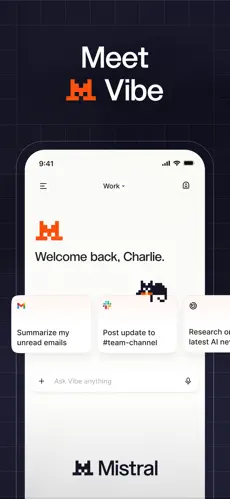
About this app
Le Chat by Mistral AI is an AI assistant created by the French artificial intelligence company Mistral AI. It can answer questions, search for information, help with writing, analyze documents, generate content, work with connected tools, and assist with more complex productivity tasks.
In 2026, Mistral renamed Le Chat to Mistral Vibe. Existing Le Chat accounts, conversations, settings, and subscription plans were transferred to Vibe. The conversational experience that Le Chat was known for continues as part of the newer Vibe product.
2. Purpose
Le Chat was designed to provide a general-purpose AI assistant that users can communicate with using normal language.
Its main purpose is to help users complete everyday, study, creative, and professional tasks more quickly. Instead of manually searching through information, reading long documents, preparing first drafts, or performing repetitive research, users can describe what they need and ask the AI to assist.
The newer Mistral Vibe experience expands this idea by supporting longer and more complex tasks, productivity workflows, connected apps, and software development.
3. Main Features
AI Chat
Users can ask questions and have natural conversations with the AI. It can explain concepts, provide ideas, summarize information, compare options, and help solve problems.
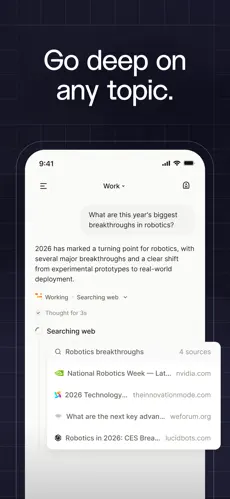
Web Search
The assistant can access current information from the web when a question requires recent or changing information. Web-search usage depends on the user’s plan.
Fast and Deeper Reasoning
The current Vibe experience provides options for quick responses and more thoughtful reasoning. Users can choose a faster mode for straightforward questions or a deeper reasoning mode for complicated tasks.
Document and File Analysis
Users can upload supported files and ask the AI to summarize, explain, organize, or analyze their contents.
This makes it useful for working with documents, reports, spreadsheets, presentations, images, PDFs, and other supported file types.
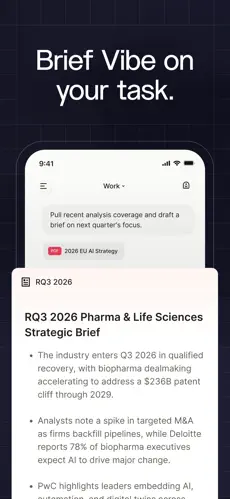
Deep Research and Complex Tasks
The assistant can work through larger research questions and multi-step tasks instead of only answering simple prompts.
For example, it can gather information, organize findings, analyze material, and prepare a structured result based on the user’s instructions.
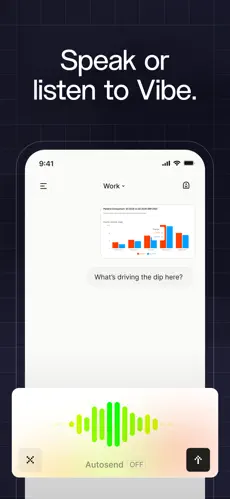
Voice Input
Users can communicate with the assistant using voice. Mistral’s voice technology also supports audio-related tasks such as understanding and transcribing spoken content.
Image Generation
The service supports AI image generation. Users can describe the type of image they need and ask the AI to create it.
Image capabilities and usage allowances can depend on the subscription plan.
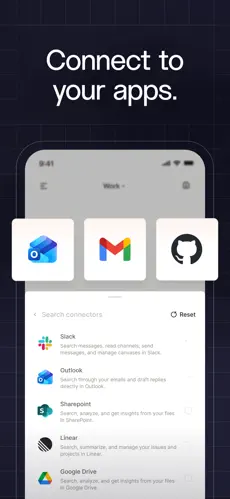
Connectors
Mistral Vibe can connect with more than 100 external tools and services. These integrations can include productivity, communication, calendar, development, and business tools.
With permission, the AI can use information from connected services while completing a task.
Coding Assistance
The current Vibe product includes dedicated coding capabilities. It can help developers understand code, generate code, modify projects, investigate problems, and perform longer development tasks.
Vibe Code can also work through a command-line interface, supported development environments, and a web interface.
4. Uses
Le Chat/Vibe can be used for many different tasks, including:
- Asking general questions
- Learning and understanding difficult topics
- Searching for current information
- Researching subjects
- Summarizing articles and documents
- Explaining PDFs and reports
- Writing emails, reports, articles, and other content
- Rewriting or improving existing text
- Brainstorming ideas
- Creating outlines
- Translating or working with multilingual text
- Analyzing data and spreadsheets
- Extracting important information from files
- Generating images
- Working with audio and voice
- Planning projects
- Organizing information
- Working with connected productivity services
- Writing and explaining computer code
- Debugging programming problems
- Performing longer multi-step work
For example, a student could upload study material and request a simplified explanation, while a professional could provide several documents and ask the AI to prepare a concise report.
5. Who Can Use It
Students
Students can use it to understand difficult subjects, summarize study material, organize notes, research topics, create study guides, and receive explanations.
Users should still verify important academic information instead of treating every AI-generated response as automatically correct.
Content Creators
Writers, bloggers, marketers, and other creators can use it for brainstorming, research, content outlines, first drafts, rewriting, editing, and image generation.
Freelancers
Freelancers can use the assistant for proposals, research, client communication, document preparation, brainstorming, and routine productivity work.
Businesses and Teams
Businesses can use Mistral’s AI tools for research, internal information, document analysis, team workflows, connected applications, and repetitive professional tasks.
Team and Enterprise plans provide additional features intended for organizational use.
Professionals
Researchers, analysts, managers, marketers, consultants, developers, and other professionals can use the platform for research, writing, document analysis, data-related tasks, coding, and productivity workflows.
Developers
Developers are especially relevant to the newer Mistral Vibe product because it includes dedicated tools for coding, software projects, development environments, and longer coding tasks.
General Users
General users can use it for everyday questions, explanations, planning, writing, learning, brainstorming, web research, and other personal tasks.
6. How to Use
Getting started is relatively simple:
- Open Mistral’s Vibe service on the web or install the official mobile application.
- Create or sign in to a Mistral account.
- Start a new conversation.
- Type your question or describe the task you want completed.
- Attach a document or other supported file when needed.
- Use web access, voice, connected tools, or other available features when appropriate.
- Continue the conversation with follow-up instructions until the result meets your needs.
New accounts can use the Free plan, so a paid subscription is not required just to start using the service.
7. Free & Paid Plans
Mistral currently provides multiple subscription options, including Free, Pro, Education, Team, and Enterprise offerings.
Exact prices, allowances, and feature limits can change, so current subscription details should always be checked before purchasing.
Free Plan
A Free plan is available.
It currently provides access to the main Vibe experience with limitations on usage. Available capabilities include:
- AI conversations
- Limited messages
- Limited web searches
- Image generation
- Access through web and mobile
- Limited coding sessions
- Access to connectors
- Access to Mistral’s AI models and related services within applicable limits
The Free plan is suitable for users who want to try the assistant or use it occasionally.
Pro
The Pro plan is designed for individuals who need substantially more usage.
Compared with Free, it provides greater access to messages, web searches, more demanding tasks, longer-running work, and coding capabilities.
Education
Mistral offers an Education option for eligible users such as verified students under applicable requirements.
Eligibility conditions, pricing, and duration can change and should be checked directly when signing up.
Team
The Team plan is designed for organizations and groups that need shared access and additional business-oriented controls.
It provides higher usage and organizational features beyond a standard personal account.
Enterprise
Enterprise is intended for larger organizations with more advanced security, administration, customization, deployment, and data-management requirements.
Enterprise customers may receive capabilities such as private deployment options, advanced administration, customized AI systems, organizational controls, and enterprise integrations.
Because Mistral regularly updates its plans, exact pricing and usage limits are not presented here as permanent figures.
8. Pros & Cons
Pros
Wide range of capabilities: It combines AI chat, web research, document analysis, writing assistance, image generation, voice features, and productivity tools.
Free plan available: Users can try many of its main capabilities without immediately paying for a subscription.
Useful for research: Web access and deeper research capabilities make it suitable for questions that require more than a simple AI response.
Good file support: Users can work with documents and other supported file types instead of manually copying all their information into a prompt.
Connected tools: Integrations can help the AI work with information stored in other productivity and business services.
Strong coding capabilities: The newer Vibe product provides dedicated coding tools for developers.
Available on mobile: Users can access the assistant through official mobile applications as well as the web.
Suitable for both simple and complex tasks: It can handle straightforward questions while also supporting longer multi-step workflows.
Cons
Free-plan limits: Frequent users may reach restrictions on messages, searches, coding sessions, or other resource-intensive features.
Product naming can be confusing: Le Chat was renamed Mistral Vibe in 2026, meaning older guides and tutorials may use terminology that no longer matches the current interface.
Advanced capabilities may require a paid plan: Heavy usage, long-running tasks, extensive coding, and business functionality are more suitable for paid subscriptions.
Features continue to change: Mistral actively develops the product, so menus, limits, tools, and subscription benefits may change.
AI answers can be incorrect: The assistant can still produce inaccurate, incomplete, or misleading information. Important medical, legal, financial, academic, business, or factual information should be independently verified.
9. Platforms
Le Chat’s successor, Mistral Vibe, is officially available through:
- Web
- Android
- iPhone and iPad
Development-focused Vibe Code functionality is also available through supported command-line and code-editor environments.
A separate native general-purpose Le Chat/Vibe application specifically for Windows or macOS could not be reliably verified as part of the current consumer offering. Desktop users can use the web version through a compatible browser.
10. Final Summary
Le Chat, now known as Mistral Vibe, is most useful for students, professionals, creators, developers, freelancers, and businesses that want an AI assistant for research, writing, document analysis, web information, productivity, and coding. Its Free plan makes it easy to try, while the paid plans are more suitable for users who need higher usage, longer tasks, advanced development capabilities, or organizational features.