

About this app
Meta AI is an artificial intelligence assistant developed by Meta, the company behind Facebook, Instagram, WhatsApp, and Messenger. It is available as a standalone Meta AI app, on the web, and inside several Meta apps. The current version is powered by Meta’s newer Muse Spark AI technology and is designed to answer questions, create content, generate media, help with research, and increasingly perform multi-step tasks for users. About Facebook
Meta launched the standalone Meta AI app in April 2025, initially emphasizing personalized conversations, voice interaction, and continuity between the app, web, and Meta AI glasses. About Facebook
2. Purpose
Meta AI is designed to work as a general-purpose personal AI assistant.
Users can use it to:
- Ask questions and get explanations
- Research topics
- Brainstorm ideas
- Write and rewrite content
- Generate and edit images
- Have voice conversations
- Get current news and information
- Make plans and organize tasks
- Work with connected email and calendar services
- Create presentations and other content
- Ask the AI to handle certain multi-step tasks
Meta says its newer Muse Spark-powered version can plan tasks, interact with connected apps, and carry out some actions rather than only answering questions. About Facebook
3. Main Features
AI Chat and Questions
You can communicate with Meta AI using normal conversational language. It can explain concepts, answer questions, summarize information, brainstorm ideas, and help solve everyday problems.
Voice Conversations
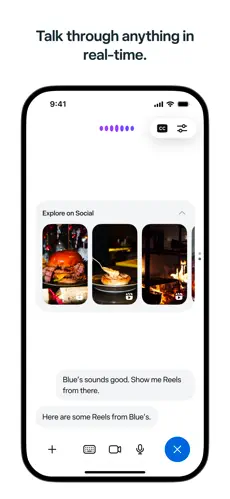
The Meta AI mobile app supports voice conversations, so users can speak naturally instead of typing everything. Meta has made voice interaction one of the main parts of the standalone app. About Facebook
Image Generation and Editing
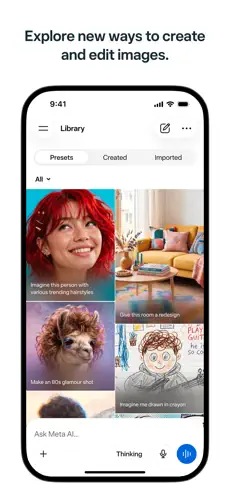
Meta AI can generate images from written descriptions. Its newer Muse Image technology can also work with existing pictures and perform edits based on natural-language instructions. Meta says it can handle tasks such as removing unwanted objects, creating new visuals, generating infographics, and rendering readable text inside images. About Facebook
AI Video Generation
Meta’s paid Meta One plans provide increased access to media-generation capabilities, including image generation and video generation powered by Meta’s Muse technology. About Facebook
Research and Current Information
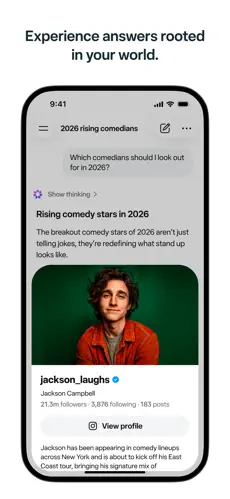
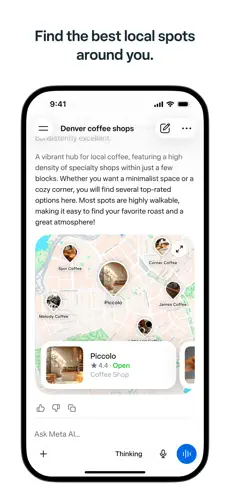
Meta AI can provide information on current subjects, including news, entertainment, and lifestyle topics. Meta expanded its real-time information sources in 2026 through partnerships with several international publishers. About Facebook
Planning and AI Actions
The newer Meta AI can perform more complicated tasks involving multiple steps. Meta says it can:
- Make plans
- Work with connected email and calendar services
- Create slides
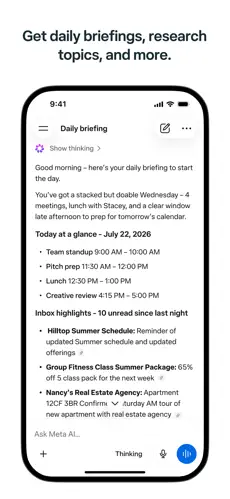
- Produce daily briefings
- Conduct deeper research
- Create mood boards
- Carry out certain tasks on the user’s behalf
These capabilities are powered by Muse Spark 1.1. About Facebook
Personalization
Meta AI is designed to become more personalized based on a user’s preferences and previous context, where supported. The standalone app was specifically designed around a more personal AI experience. About Facebook
Incognito Chat
Meta introduced Incognito Chat in 2026 for Meta AI and WhatsApp. According to Meta, these conversations run through a private processing environment, are not visible to Meta, and disappear by default. About Facebook
Integration With Meta Apps
Meta AI is also integrated into services such as:
- Messenger
This allows users to access AI without necessarily opening the standalone Meta AI app. About Facebook
4. Uses
Meta AI can be used for many everyday, educational, creative, and professional tasks.
For example, users can ask it to:
- Explain difficult subjects
- Generate study notes
- Brainstorm project ideas
- Create outlines
- Write emails or messages
- Improve existing writing
- Generate social-media ideas
- Write captions
- Research a topic
- Summarize information
- Plan a trip or project
- Generate images
- Edit photos
- Create visual concepts
- Produce presentation material
- Get current news
- Create schedules and plans
- Work with connected productivity services
- Have hands-free voice conversations
Its usefulness therefore extends beyond simple chatbot-style questions.
5. Who Can Use It?
Students
Students can use Meta AI for explanations, brainstorming, study assistance, summaries, research starting points, presentation ideas, and understanding difficult concepts.
However, AI-generated information should still be verified before being used in important academic work.
Content Creators
Creators can use it for:
- Post ideas
- Captions
- Scripts
- Brainstorming
- Image generation
- Image editing
- Visual concepts
- Social-media planning
Meta’s paid subscriptions also provide higher usage limits for some AI and creative features. About Facebook
Freelancers
Freelancers can use Meta AI for research, proposals, ideas, drafts, client communications, planning, presentations, and creative content.
Businesses
Businesses can use Meta’s AI ecosystem for content creation, customer communication and business-related workflows. Meta One also offers dedicated creator and business subscription tiers with additional professional features, although many of those features belong to Meta’s wider family of apps rather than Meta AI alone. About Facebook
Professionals
Professionals can use Meta AI for research, planning, writing, presentations, briefings, brainstorming and, where available, workflows involving connected email and calendar services. About Facebook
General Users
General users can use it for everyday questions, recommendations, writing assistance, learning, planning, image creation, news and voice conversations.
6. How to Use Meta AI
Getting started is relatively simple.
Standalone app: Install the Meta AI app on an Android or iOS device and sign in or follow the account setup instructions.
Web: Meta AI can also be accessed through meta.ai using a compatible web browser. About Facebook
Meta apps: In supported regions, Meta AI is built into WhatsApp, Instagram, Facebook and Messenger. Users can open Meta AI from the appropriate AI icon or chat interface. In supported group-chat situations, it can also be addressed using @Meta AI. About Facebook
Once opened, simply type or speak a request such as:
“Explain photosynthesis in simple words.”
or
“Create an image of a futuristic eco-friendly city.”
You can continue the conversation with follow-up instructions instead of starting again each time.
7. Free & Paid Plans
Free Version
Yes. Meta AI has a free version.
Meta confirmed in September 2026 that the core Meta AI experience will remain free for everyday use. About Facebook
Paid Options
Meta now provides additional AI capacity through its Meta One subscription system.
For individual users, the main bundle plans announced by Meta are:
| Plan | Starting price announced by Meta | Main benefit |
|---|---|---|
| Free | $0 | Core Meta AI experience |
| Meta One Core | $7.99/month | More image/video generation and increased use of certain AI creative tools |
| Meta One Premium | $19.99/month | Everything in Core with substantially more room to use Meta’s AI and creative capabilities |
Meta also offers separate creator and business plans starting at higher prices, but these include professional features across Facebook, Instagram, WhatsApp and other Meta services—not just Meta AI. About Facebook
Important: Meta states that pricing, features and availability can vary depending on the country, app and account, so the exact options shown to an individual user may differ. About Facebook
8. Pros & Cons
Pros
- Free core experience: Most everyday Meta AI functionality remains free.
- Multiple ways to access it: Available through its own app, website and major Meta platforms.
- Strong voice support: Designed for conversational voice interaction.
- Image creation and editing: Muse Image provides sophisticated generative and editing capabilities.
- Increasingly capable assistant: Newer versions can plan and carry out multi-step tasks.
- Current information: Meta has expanded access to real-time news and content sources.
- Useful Meta integration: Convenient for people already using WhatsApp, Instagram, Facebook or Messenger.
- Privacy option: Incognito Chat offers an additional privacy-focused mode for sensitive conversations.
Cons
- AI can still make mistakes: Important factual, academic, financial, medical or professional information should be independently verified.
- Regional differences: Some features may not be available in every country.
- Usage limits: Heavy use of certain advanced AI generation features may require a paid subscription.
- Meta ecosystem focus: Some of its biggest advantages make the most sense for people already using Meta services.
- Paid plans can be confusing: Meta One combines AI benefits with Facebook, Instagram and WhatsApp features, so it is not simply a standalone “Meta AI Pro” subscription.
- Features change quickly: Meta is actively developing the service, meaning tools and availability can change over time.
9. Platforms
Meta AI is officially available through:
- Android — standalone Meta AI app
- iOS/iPhone — standalone Meta AI app
- Web — through meta.ai
- Messenger
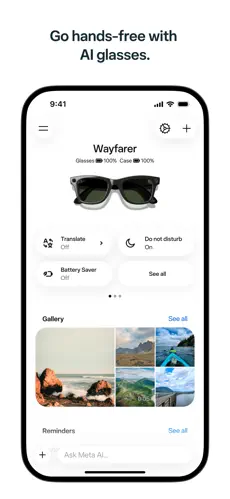
- Supported Meta AI glasses
The standalone mobile application was officially released for both iOS and Android, while Meta AI’s web version is optimized for desktop use as well. About Facebook
I could not verify an official standalone native Windows or macOS Meta AI desktop application, so it is safer to describe desktop access as being available through the web rather than claim dedicated Windows or Mac apps.
10. Final Summary
Meta AI is most useful for general users, students, creators, freelancers and professionals who want a free AI assistant for questions, research, writing, voice conversations, planning and creative image generation. It is particularly convenient for people already using WhatsApp, Instagram or Facebook because Meta AI is closely integrated with those services, while paid Meta One plans are more suitable for users who need heavier AI and media-generation usage.