

About this app
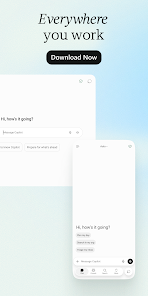
Microsoft Copilot is Microsoft’s AI assistant for everyday tasks, creativity, research, and productivity. Users can interact with Copilot through natural-language text or voice, ask questions, create content and images, and—depending on their Microsoft 365 plan—use AI directly with Microsoft productivity apps and work data.
2. Purpose
Microsoft Copilot is designed to help users complete tasks more quickly using generative AI. Instead of searching manually or starting a piece of work from scratch, users can describe what they need and ask Copilot to generate, explain, summarize, organize, analyze, or improve information.
For eligible Microsoft 365 users, Copilot can also work with Microsoft 365 content and apps, making it especially useful for workplace productivity.
3. Main Features
Some of Microsoft Copilot’s most important capabilities include:
- AI Chat: Ask questions, get explanations, brainstorm ideas, summarize information, and generate written content.
- Writing assistance: Create drafts for emails, articles, reports, outlines, social posts, and other text.
- Image creation: Generate AI images from text descriptions, with usage limits depending on the user’s plan.
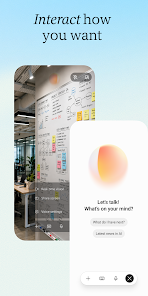
- Voice: Talk naturally with Copilot instead of typing.
- Copilot Vision: On supported experiences, users can share their screen or mobile camera and ask Copilot questions about what they are seeing.
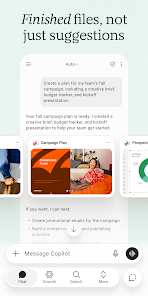
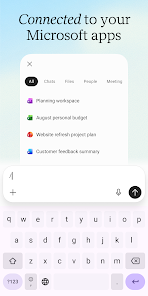
- Microsoft 365 integration: Depending on the subscription, Copilot can be used with apps such as Word, Excel, PowerPoint, Outlook, and Teams.
- Researcher: Eligible Premium, Pro, business, and enterprise users can perform more complex research and receive structured, source-cited reports. Microsoft’s older consumer Deep Research feature was retired in August 2026, so current information should not list it as an active consumer Copilot feature.
- Agents and advanced AI: Higher-level Microsoft 365 plans provide agentic features for tasks such as research and data analysis.
4. Uses
Users can use Microsoft Copilot for many everyday and professional tasks, including:
- Answering questions and explaining difficult topics
- Summarizing long information
- Brainstorming ideas
- Drafting and rewriting text
- Creating outlines, reports, emails, and presentations
- Generating AI images
- Getting help with studying and learning
- Planning projects, trips, schedules, or activities
- Analyzing information and data
- Researching a topic
- Getting help understanding something displayed on a screen or camera
- Working with Microsoft 365 documents and workplace information when the user’s account and subscription support those features.
5. Who Can Use It?
Students can use Copilot to understand topics, summarize study material, brainstorm project ideas, create outlines, and get explanations. AI-generated information should still be checked against reliable academic sources.
Content creators can use it for brainstorming, outlines, captions, scripts, rewriting, and AI-generated images.
Freelancers can use Copilot for proposals, client communications, research, brainstorming, and organizing information.
Professionals can benefit especially if they already use Microsoft 365. Eligible plans connect Copilot with productivity tools such as Word, Excel, PowerPoint, Outlook, and Teams.
Businesses can use Microsoft 365 Copilot for workplace chat, research and data analysis, Microsoft 365 integration, agents, and other organizational workflows. Business features and availability depend on licensing and administrator settings.
General users can use the consumer Copilot experience for questions, writing, brainstorming, images, voice conversations, and everyday assistance.
6. How to Use Microsoft Copilot
Getting started is straightforward. Open Microsoft Copilot on the web or install the Copilot app on a supported device. You can then type a request into the chat box—for example, “Explain photosynthesis in simple English” or “Create an outline for a presentation about renewable energy.”
Signing in provides additional capabilities such as chat history, more image creation, longer conversations, and extended voice sessions. Microsoft currently supports personal Microsoft accounts as well as certain other sign-in methods; work and school users can sign in with their organizational accounts.
7. Free & Paid Plans
Yes, Microsoft Copilot has a free experience. Users can access core AI capabilities without buying a Microsoft 365 subscription, although usage limits and feature availability apply.
Microsoft also offers paid Microsoft 365 plans for individuals. Current plans include Microsoft 365 Personal, Family, Premium, and—in supported markets—Pro, with the exact lineup, pricing, and availability varying by country. Paid tiers can provide higher Copilot usage limits, Microsoft 365 desktop apps with Copilot, additional cloud storage, greater AI image usage, and other benefits. Premium and Pro offer more advanced Copilot capabilities, including agentic research and analytics, with Pro providing higher usage levels.
Businesses have separate Microsoft 365 Copilot plans and licensing.
Because Microsoft’s pricing and plan structure can differ by region and change over time, it is better to check the official Microsoft Copilot plans and pricing page for the current price in your country.
8. Pros & Cons
Pros
- Easy conversational interface
- Useful for writing, brainstorming, summarizing, learning, and research
- Supports text, voice, images, and visual assistance
- Free version is available
- Available across several major platforms
- Particularly useful for people already working with Microsoft 365
- Paid workplace versions can work with organizational documents, emails, meetings, and other permitted work information
- Advanced paid plans provide research and agentic capabilities
Cons
- AI responses can still contain errors or inaccurate information, so important facts should be verified.
- Some of the most useful Microsoft 365 integrations require paid subscriptions or organizational licenses.
- Usage limits vary between free and paid plans.
- Certain features are limited by device, account type, language, region, subscription, or administrator settings.
- Copilot Vision has limitations; for example, Microsoft says it cannot directly manipulate items on the user’s screen.
- Microsoft’s Copilot products and plan structure change fairly frequently, so older tutorials may describe features or pricing that are no longer current.
9. Platforms
Microsoft Copilot is available on:
Web: Accessible through modern web browsers.
Windows: Microsoft provides a Copilot desktop app for Windows.
macOS: A Mac desktop app is available, although Microsoft notes that availability and requirements can vary by market.
Android: Available through Google Play for supported Android devices.
iPhone/iPad: Available through Apple’s App Store for supported iOS and iPadOS devices.
10. Final Summary
Microsoft Copilot is most useful for people who want one AI assistant for questions, writing, brainstorming, research, images, voice interactions, and productivity tasks. It is particularly valuable for users and organizations already working in the Microsoft 365 ecosystem, while the free version provides a practical starting point for general users who simply want an everyday AI assistant.