

About this app
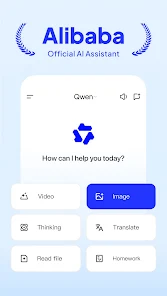
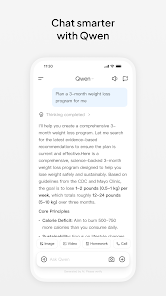
Qwen is an artificial intelligence assistant developed by Alibaba and powered by the Qwen family of AI models. It is designed as an all-in-one assistant for everyday questions, learning, writing, research, coding, translation, image-related tasks, and creative work. Qwen can work with several types of content, including text, images, documents, audio, and, for supported features, video.
2. Purpose
Qwen is designed to help users complete both everyday and professional tasks through natural-language conversations. Instead of using separate tools for writing, research, coding, translation, document analysis, and some creative AI tasks, users can ask Qwen to handle many of these activities from one interface.
Its main purposes include:
- Answering questions and explaining topics.
- Helping users research information.
- Writing, rewriting, summarizing, and brainstorming.
- Assisting with programming and debugging.
- Translating text between languages.
- Understanding uploaded images and documents.
- Generating and editing images.
- Supporting AI video-generation features where available.
- Helping with study, work, planning, and general productivity.
3. Main Features
Smart AI Chat
Users can have natural conversations with Qwen, ask follow-up questions, brainstorm ideas, receive explanations, and get assistance with complex tasks.
Web Search
Qwen can search for information from the web when supported, making it useful for questions that require more recent information rather than relying only on the model’s existing knowledge.
Deep Research
Qwen includes a Deep Research capability for tasks that require multiple searches, information gathering, analysis, and a more detailed final response. It is particularly useful for researching complicated subjects.
Advanced Reasoning
Qwen models support reasoning capabilities that can help with mathematics, logic, planning, technical questions, problem-solving, and other tasks requiring several steps of analysis.
Writing and Summarization
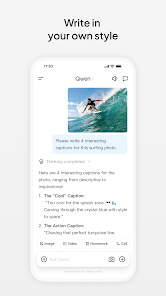
Qwen can create articles, emails, reports, descriptions, outlines, social-media content, summaries, ideas, and many other forms of written material. It can also rewrite existing text to improve clarity, tone, grammar, or structure.
Coding Assistance
Qwen can generate code, explain programming concepts, find possible errors, debug code, suggest improvements, and help users build software or web-related projects.
Image Understanding
Users can upload images and ask Qwen questions about them. It can identify and explain visual information, recognize text in images, analyze charts, and assist with image-based questions.
Image Generation and Editing
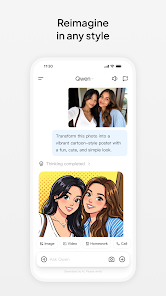
Qwen includes AI image capabilities that can create images from written instructions. Its image tools can also support tasks such as modifying an existing image, changing its style, combining visual elements, or making other requested edits.
Video Generation
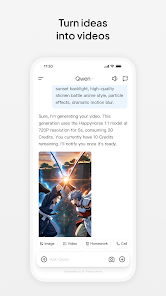
Qwen provides AI video-generation capabilities in supported versions of the service. Users can provide instructions or visual material and create AI-generated video content, although availability and usage limits may depend on the platform and account plan.
Document and File Analysis
Users can work with documents and supported files, including PDFs and Word documents. Qwen can help summarize material, locate information, explain sections, and answer questions based on uploaded content.
Translation
Qwen supports multilingual communication and can translate text between many languages. The official mobile app describes support for more than 100 languages and dialects.
Voice and Audio Capabilities
The Qwen ecosystem includes models capable of understanding audio and generating speech. The consumer app also supports voice-based interaction on supported devices and versions.
Artifacts and Web Development
Qwen can assist with creating structured content and web-development projects. Users can ask it to generate code, layouts, prototypes, or other interactive material based on written instructions.
4. Uses
Qwen can be used for a wide variety of tasks, including:
- Asking general knowledge questions.
- Learning difficult subjects.
- Getting step-by-step explanations.
- Summarizing long documents.
- Creating study notes.
- Solving mathematics and reasoning problems.
- Brainstorming ideas.
- Writing articles and blog posts.
- Drafting emails and business documents.
- Creating social-media content.
- Translating text.
- Improving grammar and writing style.
- Researching topics using web information.
- Performing deeper multi-step research.
- Writing and debugging programming code.
- Explaining code written by someone else.
- Analyzing images, charts, screenshots, and documents.
- Extracting or understanding text from images.
- Generating AI images.
- Editing existing images with AI.
- Generating AI videos where the feature is available.
- Planning projects, trips, schedules, and everyday activities.
- Creating business ideas, proposals, and reports.
5. Who Can Use It
Students
Students can use Qwen for explanations, study guides, summaries, research assistance, mathematics, language learning, programming practice, and understanding information contained in documents or images. AI-generated answers should still be checked when they are being used for important academic work.
Content Creators
Writers, bloggers, social-media creators, marketers, and video creators can use Qwen to brainstorm ideas, create outlines, draft captions and scripts, generate or edit images, translate content, and develop ideas for videos.
Freelancers
Freelancers can use it for research, client communication, writing proposals, preparing reports, generating content, coding, translation, brainstorming, and handling repetitive writing tasks.
Businesses
Businesses can use Qwen to prepare documents, summarize information, generate marketing ideas, draft communications, research topics, assist with programming, and improve everyday productivity. Developers and companies can also access Qwen models through APIs separately from the normal consumer chat application.
Developers
Qwen is particularly useful for programmers because it can generate code, explain programming logic, troubleshoot errors, assist with application development, and work with technical questions.
Professionals
Professionals can use Qwen for reports, presentations, research, document analysis, planning, translation, brainstorming, data-related explanations, and general office work.
General Users
People do not need technical knowledge to use Qwen. It can help with everyday questions, learning new subjects, planning, translation, writing, creative ideas, image tasks, and general problem-solving.
6. How to Use
Getting started with Qwen is straightforward:
- Open Qwen through its official web service or install the official Qwen app on a supported device.
- Create an account or sign in when required.
- Start a new conversation.
- Type your question or describe the task you want Qwen to perform. Voice input may also be available on supported versions.
- Upload an image, document, or other supported file when the task requires it.
- Select specialized capabilities such as Search, Deep Research, image generation, image editing, or video generation when available.
- Continue the conversation with follow-up instructions to refine the result.
Clear prompts usually produce better results. For example, instead of writing only “write an article,” users can specify the subject, intended audience, tone, length, and information that should be included.
7. Free & Paid Plans
Qwen provides a free version, and its official website describes the AI assistant as free to use and open to users. Free access includes many of Qwen’s core AI-assistant capabilities, although individual features can have usage limits.
The official mobile app also offers in-app subscription tiers named:
- Qwen Go
- Qwen Plus
- Qwen Pro
These paid options provide increased usage allowances, with higher tiers intended for users who need heavier or more frequent usage.
The exact feature-by-feature differences, quotas, and benefits of Qwen Go, Plus, and Pro could not be reliably verified from Qwen’s publicly accessible official information at the time of writing. Because subscription details can also differ by country and platform, users should check the plan comparison displayed inside the official Qwen app before purchasing.
Qwen’s API platform is separate from the normal consumer subscription plans. Developers using Qwen models through Alibaba Cloud or Qwen’s API can be charged according to the particular model and amount of processing used.
8. Pros & Cons
Pros
- Free access is available.
- Offers many AI capabilities in one service.
- Useful for both simple questions and more complex reasoning tasks.
- Includes web search and Deep Research capabilities.
- Strong support for coding and technical tasks.
- Can understand text, images, documents, audio, and other supported media.
- Supports AI image generation and editing.
- Includes AI video-generation capabilities on supported versions.
- Useful for multilingual communication and translation.
- Available on several major platforms.
- Suitable for students, professionals, developers, creators, and everyday users.
- Qwen models are also available to developers through APIs.
Cons
- AI-generated information can still be incorrect or incomplete, so important facts should be independently checked.
- Advanced generation and research features may have usage restrictions.
- Some features and limits can differ depending on region, device, account, or subscription.
- Qwen Go, Plus, and Pro are available, but detailed official comparisons of every benefit are not consistently published publicly.
- Image and video generation can require more processing time than ordinary text conversations.
- Users should avoid uploading confidential or highly sensitive information unless they have reviewed the applicable privacy and data-handling policies.
- The large number of Qwen models and services may initially be confusing for users who only want a simple chatbot.
9. Platforms
Qwen is officially available across major computing platforms, including:
- Web
- Android
- iPhone and iPad
- Windows
- macOS
Availability of individual features can differ between the web, mobile, and desktop versions.
Qwen is also available as an API platform for developers who want to integrate Qwen models into their own websites, applications, AI assistants, or software products.
10. Final Summary
Qwen is best suited to users who want a versatile AI assistant capable of handling writing, research, coding, translation, documents, images, and creative AI tasks from one platform. Students, creators, developers, freelancers, professionals, businesses, and general users can benefit from its broad range of features, especially because a free version is available for getting started.