XLOOKUP vs VLOOKUP: Key Differences, Examples, and Which One Is Better?
Finding one piece of information in a spreadsheet shouldn’t feel like searching for a needle in a digital haystack. Yet […]
Read article →The Userology AI UX Research Tool helps product teams run interviews and usability studies with an AI moderator. Its appeal […]

The Userology AI UX Research Tool helps product teams run interviews and usability studies with an AI moderator. Its appeal is straightforward: you can collect feedback without having a researcher personally host every conversation. Before committing, ask the provider to show you exactly what a completed study costs and how a reviewer moves from a generated finding back to the participant behavior that supposedly supports it.
This review examines Userology’s public product information and help documentation, checked on November 4, 2026. It is a desk review, not a report from hands-on testing. The most useful question is whether its workflow would help your team make a specific product decision with evidence you can inspect.
According to the official Userology website, the platform helps teams prepare studies, recruit participants, conduct AI interviews, and summarize findings. It supports testing Figma prototypes and live products, with a moderator that asks contextual follow-up questions.
The company also advertises screen-aware moderation and interviews in more than 40 languages. Those are vendor-described capabilities; this review does not independently measure their accuracy or language quality.
For a designer testing an onboarding flow, the attraction is the follow-up. A participant might say that a screen feels confusing. A useful moderator should explore what caused that reaction and what the person expected to see.
That distinction matters when choosing an AI user research platform. Collecting comments is only part of the job, because your team needs enough context to decide whether a complaint reflects unclear wording, a missing feature, an unrealistic task, or something else entirely.
The official pricing page lists Pay as you go at $20 per session, with unlimited team members. It also advertises a free trial without a credit card. Research+ requires a sales conversation and adds services such as managed recruitment and dedicated research support, alongside expanded research capabilities.
There is a detail worth checking before you approve a budget. The page’s FAQ says customers pay a one-time access fee, followed by charges for completed sessions. It does not publish the access fee amount.
For example, ten sessions at the displayed rate equal $200 in session charges. That calculation is not a complete project quote.
Ask for a written breakdown covering:
Treat Userology AI pricing as partially public. The per-session rate helps with initial planning, but the missing access fee prevents a reliable total-cost estimate.
Userology’s study creation guide describes a workflow where you select a method, provide objectives and assets, define the target persona, and review an AI-generated interview plan. You can edit that plan and preview the participant experience before launching.
Edit it carefully. For a checkout study, “find out whether customers like our checkout” leaves too much room for vague praise. A stronger objective would ask whether shoppers can understand delivery costs before entering payment details.
As you read the proposed questions, look for language that praises your design or names the very control participants should discover themselves, since either can steer the response before the session has properly begun. “How easy was our clear delivery information?” practically writes the participant’s response for them.
The AI Synthesis Studio documentation describes two options: chatting with selected research data and generating a structured report. Chat responses include references to specific research moments, with a video player for checking the source.
Prioritize this in the demo. Ask a question about a problem, open the cited clip, and check whether the participant actually supports the generated interpretation.
Suppose a summary says shoppers distrust delivery charges. The recording might show something narrower: one shopper could not find the delivery estimate. Those findings lead to different design changes.
The same guide documents HTML report downloads. Confirm the export formats available in your account if your team needs a particular presentation format.
Userology’s qualitative results guide describes challenges and positive experiences linked to participant quotes and recordings. It also supports examining findings at task level.
Its quantitative results guide lists completion rate, time on test, incorrect clicks, and a usability score. Ask how each metric applies to the study method you plan to use and how the platform calculates its combined score.
Keep the interpretation modest. Completing a task does not necessarily mean someone found it comfortable. A participant can reach the correct screen after several uncertain guesses. Before declaring the design successful, review the recording alongside the metric and consider whether the participant understood what happened, could explain the result, and would feel comfortable attempting the same task without instructions.
The following workflow combines the documented setup process with practical suggestions for a first study. The example is hypothetical, not a customer case study.
Imagine an online shop deciding whether to move delivery information higher on its product page. Write down the decision before drafting questions: should delivery timing appear beside the price?
Give participants a realistic task, such as checking whether an item could arrive before an upcoming event. Avoid telling them which button to press. You want to learn whether the interface communicates clearly without coaching.
Choose prototype testing for a proposed design or live product research for an existing experience. Add the relevant link and describe who should participate. Userology’s setup documentation also describes voice interviews for open-ended research.
Review the generated discussion guide before using the preview. Test the same links and instructions that participants will encounter. If a participant reaches a dead end because a prototype connection points to the wrong screen, the resulting confusion could send your team toward a redesign when the immediate fix belongs in the prototype file.
Write screening criteria around relevant behavior. In the delivery example, recent online shopping experience may matter more than an interest in technology.
Ask the vendor to demonstrate recruitment feasibility for your particular audience. A broad participant pool does not establish how quickly you can recruit people with a specific professional role or purchasing history.
After sessions finish, inspect the original recordings and compare them with the findings. Userology’s own qualitative documentation recommends reviewing recordings before using the synthesized results.
Separate an observed problem from your proposed solution. “The participant missed the delivery estimate” is an observation. “Move the estimate beside the price” is a design hypothesis you can test next.
Keep those statements separate.
Based on the documented workflow, Userology looks most relevant when a team has a clear research question but limited time to host sessions. A product manager could investigate confusion around a feature while a designer prepares the next prototype.
The potential benefit is reduced coordination and an easier first pass through the evidence. This review does not establish a measured time saving. Teams should compare the full workload, including study preparation and checking summaries, with their existing process.
For an agency, an evidence-backed report could also make client discussions more concrete. A clip showing a shopper missing important information gives everyone something specific to examine.
For a solo founder, the first test should stay narrow. Investigate a single decision rather than asking the platform to explain everything customers want from the business. When the question stays narrow enough to connect each finding with a decision already on your product backlog, you can judge whether the study helped instead of measuring its value by the length of the report.
Public pages do not present every method consistently. The study setup guide labels concept testing as coming soon, while other marketing material mentions a broader range of stimuli. Confirm the exact workflow in a live demo if a particular research method determines your purchase.
Language coverage needs practical validation too. Run a preview with the vocabulary your audience actually uses, especially if participants discuss specialist work. Check whether the moderator follows an unclear answer appropriately instead of merely continuing the script.
Check data handling. Ask who can access recordings, how long the provider retains them, and whether you can delete participant data. Use a test environment without unnecessary customer information for your pilot.
Finally, review findings that contradict the main theme. If most participants understand a screen but one cannot continue, the outlier may reveal an important issue. Before dismissing that response because it appeared only once, examine whether the person represents a customer group your study barely reached or encountered a failure that other participants simply had no reason to trigger.
Maze and UserTesting are useful comparison candidates, but their AI offerings have different access conditions.
| Platform | Relevant documented offering | Detail to verify |
|---|---|---|
| Userology | AI interviews and prototype or live product research | Full cost, including the access fee |
| Maze | AI-moderated discussions and website tasks | AI-moderated studies require Enterprise |
| UserTesting | AI follow-ups within New Think Out Loud verbal-response tasks | Its AI Moderation page describes limited early access |
Maze’s AI-moderated studies documentation confirms its Enterprise restriction. Its separate website-task instructions explain that the moderator asks follow-ups after the task, rather than probing while the participant explores.
UserTesting’s AI Moderation page describes contextual follow-up questions within an unmoderated study. It explicitly distinguishes this capability from researcher-led moderated research.
For a broader shortlist, our guide on <a href="https://aihelptip.com/ai-directory-how-to-find-and-compare-the-right-ai-tools/" target="_blank" rel="noopener">how to find and compare the right AI tools</a> explains how to assess options against your workflow and budget.
When comparing Userology AI alternatives, give each vendor the same task. Check what participants experience and how easily a reviewer can trace a finding to its source. Avoid comparing one tool’s entry price with another tool’s enterprise workflow.
Before committing, ask Userology to demonstrate your own prototype with a realistic participant task. Obtain the complete price separately so commercial uncertainty does not distract from evaluating the research.
Watch how the moderator responds when someone gives a short or ambiguous answer. Then open a generated finding and inspect its supporting recording. Try exporting a report that a colleague could understand without attending the demo.
Choose the Userology AI UX Research Tool if that pilot produces useful evidence with an acceptable review workload. If your team still has to reconstruct the meaning of every finding, investigate that problem before expanding the study.
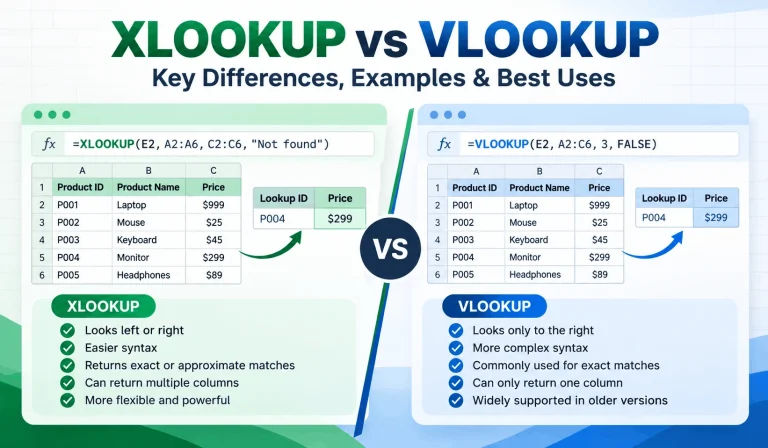
Finding one piece of information in a spreadsheet shouldn’t feel like searching for a needle in a digital haystack. Yet […]
Read article →
Ever spent 20 minutes searching for an AI conversation that took only two minutes to write? You’re not alone in […]
Read article →
Thinking about changing your hair color but worried you might regret it? We’ve all seen a gorgeous hair shade on […]
Read article →