
XLOOKUP vs VLOOKUP: Key Differences, Examples, and Which One Is Better?
Finding one piece of information in a spreadsheet shouldn’t feel like searching for a needle in a digital haystack. Yet […]
Read article →Vidqu is a browser-based collection of AI media tools rather than one conventional video editor. Its current lineup combines image-to-video […]
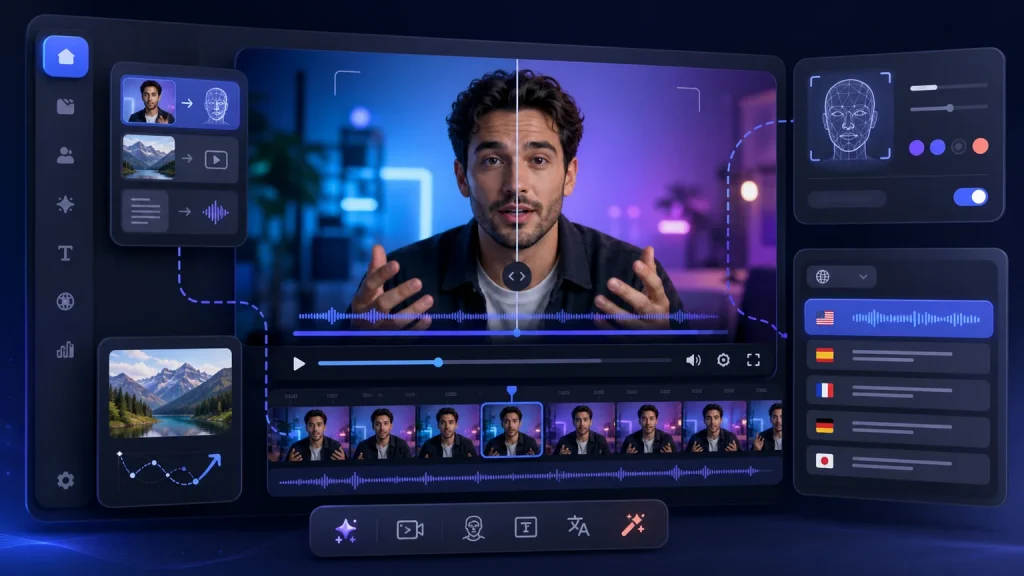
Vidqu is a browser-based collection of AI media tools rather than one conventional video editor. Its current lineup combines image-to-video animation, photo and video face swapping, video translation, image generation, and several related creative utilities. This Vidqu review explains what the platform actually offers, how its AI video workflow works, what the credit system means, and where consent, privacy, and output quality deserve extra attention.
If you are mainly looking for creative video software, you can also browse AI Help Tip's AI Video category or the wider AI tools directory.
Vidqu is an online AI creation platform focused on quick, template-like media transformations. The service runs in a web browser and separates its capabilities into individual tools. The most relevant options for video creators are its image-to-video generator, video face swap, multi-face swap, and AI video translator. The broader platform also includes photo editing, image generation, head swapping, and character-oriented tools.
That structure makes Vidqu easier to understand as a toolbox than as a full timeline-based production suite. You choose a specific task, upload or generate source material, adjust the available options, spend free usage or credits where required, and download the result. It is designed for short creation workflows, not detailed scene-by-scene editing, color grading, or complex audio post-production.
Vidqu's official image-to-video workspace accepts JPG, PNG, and WebP files. The interface provides an optional prompt, a negative-prompt field, video-length controls, model selection, creation history, and a private-mode option on eligible access levels. In practice, the workflow is intended to add motion to a still image rather than build a long video from a complete script.
A useful prompt describes visible movement instead of an abstract mood. For example: “Slow camera push-in while the subject turns slightly toward the window; subtle fabric and hair movement; steady lighting.” A negative prompt can discourage unwanted changes such as distorted hands, sudden camera cuts, flicker, or extra objects.
The Vidqu face swap tools support photos, videos, GIFs, and multi-face scenes. The basic workflow asks for an original image or video and a separate target-face photo. Vidqu then attempts to replace the detected face while preserving the surrounding scene. Its public interface also indicates that free video processing can be limited to an initial portion of a clip, while longer or higher-priority processing may require credits.
Face swapping is the feature that requires the most judgment. A technically convincing result does not create permission to impersonate someone, mislead an audience, or use a person's likeness commercially. Use only material you own or are authorized to process, obtain informed consent from identifiable people, and clearly disclose synthetic media when viewers could otherwise mistake it for an authentic recording.
Vidqu's AI Video Translator accepts common video formats and can work from an uploaded file or supported URL workflow. The page offers translated voice, subtitles, optional lip synchronization, subtitle removal, and script proofreading controls. Vidqu currently advertises support for more than 130 languages on its pricing comparison, although the exact list and capability can vary by source and output language.
Translation output should still receive human review. Names, product terminology, accents, timing, background audio, and culture-specific expressions can all introduce errors. For customer-facing material, review the transcript first and ask a fluent speaker to check the final voice and subtitles.
Vidqu uses a freemium, credit-based model. The official pricing page currently lists limited free access with standard generation speed, a lower upload allowance, watermarked downloads, and 500 MB of storage. Paid access unlocks more tools and credits, faster processing, larger uploads, no-watermark output, HD options, additional models, and private mode depending on the plan.
As of August 9, 2026, the page displays examples including 100 credits for $12.99, 500 credits for $24.99, and 1,000 credits for $29.99. However, the same page contains rotating promotions and dynamic offer text, so treat those figures as a dated snapshot rather than a permanent price list. Check the official Vidqu pricing page immediately before purchasing.
Credit charges depend on the operation. Vidqu currently documents one credit for a photo face swap involving one to six faces, five credits per 15 seconds for a video face swap involving one to three faces, five credits for a Vidqu-model image animation, 15 credits for a Kling-model animation, and eight credits per 15 seconds of video translation. Multi-face jobs can consume more. This is one reason to test with short material before committing to a longer job.
Vidqu's Privacy Policy says the service collects information contained in user inputs, including text, voice, scripts, images, videos, and feedback. It also states that users can request deletion, with a stated 72-hour deletion period after contacting support, while some service data may be retained for legal or legitimate business purposes. Shared links can remain accessible during their sharing period.
The Terms of Service require users to have the rights, licenses, consents, and permissions needed for submitted content. They also tell users to evaluate output for accuracy and appropriateness before sharing it. Those conditions matter for teachers, marketers, agencies, and anyone processing another person's face or voice.
A responsible workflow is simple: obtain permission, minimize the personal data you upload, use private mode when available, do not create deceptive impersonations, review the result manually, and delete files you no longer need. For legal, employment, medical, financial, or similarly consequential decisions, synthetic media should never be treated as evidence about a person.
Vidqu is best suited to creators who need quick experiments: animating a product still, making a disclosed parody with consenting participants, translating a short owned video, creating a localized draft, or testing whether an image can support a motion concept. It may also help social teams and educators prepare rough visual examples, provided they have the required media rights.
It is less suitable when you need frame-accurate control, confidential enterprise processing without reviewing contractual safeguards, consistent characters across a long narrative, or a single application for full post-production. In those situations, use a dedicated video editor or a production platform with stronger collaboration, governance, and timeline controls.
| Need | Consider | Why |
|---|---|---|
| Full video editing | CapCut or Adobe Premiere Pro | Stronger timelines, audio editing, transitions, and delivery controls. |
| Presenter-led business video | HeyGen or Synthesia | Structured avatar presentations, scripts, and team-oriented workflows. |
| Generative cinematic clips | Runway, Kling, or Pika | Broader text-to-video and creative generation controls, depending on the current model. |
| Voice transformation | Applio | Open-source voice conversion and model-training workflows rather than face or video transformation. |
The best alternative depends on the job. Vidqu's advantage is convenience across several narrow tools; a specialist platform may be better when one capability is central to your workflow.
Vidqu offers limited free access, but free limits, queues, watermarks, upload allowances, and supported operations vary by tool. Paid plans and credits unlock higher limits and additional capabilities.
Yes, but the label needs context. Vidqu provides image-to-video animation and related AI video tools rather than a full conventional video editor. It also offers face swap and video translation workflows.
You upload an original photo or video and a separate target-face image. The service detects the relevant face and generates a replacement. Clear source images help, but every result still requires review.
Do not assume that a generated file grants commercial rights. Vidqu's face-swap pages include personal-entertainment disclaimers, and you must also have permission for every likeness and source asset. Review the current terms for your exact tool and intended use.
Vidqu's privacy policy says user inputs can be collected and retained as customer content and service data. Users can request deletion, but retention exceptions may apply. Avoid uploading sensitive material until you have reviewed the current policy.
The image-to-video interface lists JPG, PNG, and WebP. The video translator lists M4V, MP4, MOV, and WebM. Face-swap tools may also support GIFs. Verify current limits in the selected tool before uploading.
No. Vidqu's privacy policy states that its sites and products are not intended for people under 18.
Vidqu is a convenient web toolbox for short AI media tasks, especially image animation, face swapping, and video translation. Its guided interfaces and free entry point make experimentation approachable, but it should not be confused with a complete editor or a guarantee of production-ready output. Credits, dynamic pricing, privacy considerations, and consent requirements are central to the decision—not footnotes.
Use Vidqu when a quick, clearly defined transformation matches the job, begin with a short test, and review every result before publishing. For more discovery options, explore the AI Video tools collection on AI Help Tip.
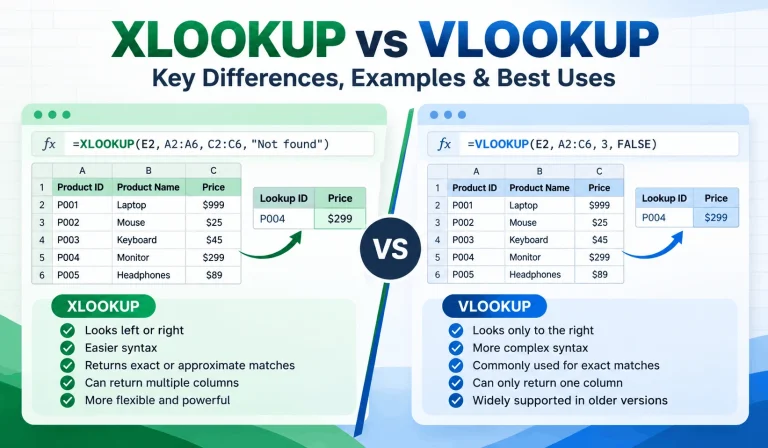
Finding one piece of information in a spreadsheet shouldn’t feel like searching for a needle in a digital haystack. Yet […]
Read article →
Ever spent 20 minutes searching for an AI conversation that took only two minutes to write? You’re not alone in […]
Read article →
Thinking about changing your hair color but worried you might regret it? We’ve all seen a gorgeous hair shade on […]
Read article →