
XLOOKUP vs VLOOKUP: Key Differences, Examples, and Which One Is Better?
Finding one piece of information in a spreadsheet shouldn’t feel like searching for a needle in a digital haystack. Yet […]
Read article →AutoWhisk is positioned as a creative automation workspace for people who need to turn many ideas into visual assets without […]

AutoWhisk is positioned as a creative automation workspace for people who need to turn many ideas into visual assets without handling every prompt one at a time. Its public product information describes CSV/TXT-driven batches, image-to-prompt extraction, multiple aspect ratios and a browser-based workflow for creators, social teams and stock contributors. The useful question is not simply whether it can create images quickly; it is whether its batch process fits your review standards, account setup and publishing workflow.

AutoWhisk focuses on volume-oriented creative work. Instead of manually entering one concept after another, a user can organize prompts or ideas in a file, send them through a batch process and review the resulting asset set. That approach can be useful when a campaign needs a consistent family of visuals, when a creator is preparing many concepts, or when a team is exploring different aspect ratios for several channels.
The product also promotes image-to-prompt extraction. In practical terms, that means a user can examine visual references and turn observations into a starting prompt workflow. The result still needs editorial judgment: a generated prompt is a draft, not proof that an output is accurate, licensed for a particular use or aligned with a brand.
AutoWhisk may be a good fit for experienced creators and marketing teams that already have a clear content brief, an approval process and a way to organize files after generation. It is less suitable for anyone who expects an automated system to replace creative direction, legal checks or final quality control.

The central workflow is batch generation from organized inputs. Before using it at scale, test a small representative set first. Check whether the prompts, dimensions and outputs stay consistent, and make sure a failed or duplicate row can be identified quickly. A well-structured CSV can save time; an unreviewed one can multiply mistakes just as quickly.
Different channels need different crops. A visual that works in a wide presentation may not work in a vertical social placement. Treat aspect-ratio options as production controls, then review every export for framing, legibility and unwanted artifacts rather than relying on a setting alone.
Prompt extraction can be helpful for learning how an image is composed, but it should not be used to imitate a protected asset or a recognizable brand identity. Use it to build original direction from high-level observations such as lighting, subject distance, palette or composition.
AutoWhisk advertises a free tier and paid plans, but feature limits and pricing can change. Verify the current plan details directly on the official AutoWhisk website before buying. The company’s public guidance also describes a connector that works with a Google Whisk session. Because any workflow involving browser sessions, extensions or tokens has security implications, review the vendor’s current privacy policy, extension instructions and account permissions before connecting a work account.
Keep the smallest possible access scope, avoid sharing credentials and test with non-sensitive work. For a broader view of current tools, browse our newly added AI tools before choosing a workflow.
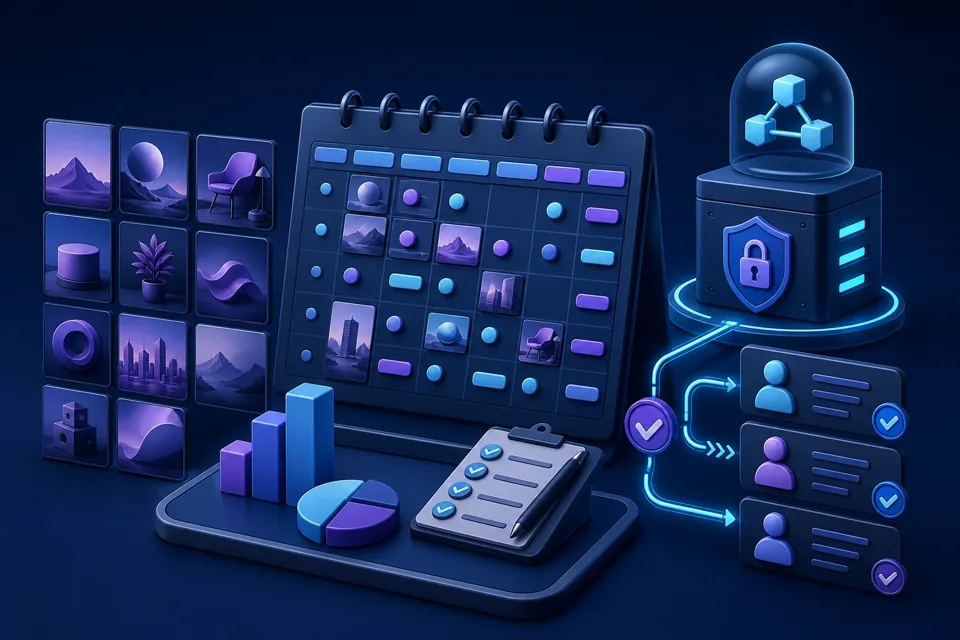
AutoWhisk is most compelling when creative throughput is the bottleneck and the team already has strong review habits. Its batch-oriented approach can reduce repetitive prompt entry, but volume should never remove human approval. Start small, judge the real output quality and make security and rights review part of the decision.
AutoWhisk is a creative automation product that promotes batch image generation, prompt extraction and multi-format asset workflows for creators and marketing teams.
AutoWhisk advertises a free tier, but current limits and paid-plan details should always be checked on its official pricing page before use.
No. Generated work still needs a human review for accuracy, quality, rights, brand fit and publishing suitability.
Start with a small sample of real concepts, then review prompt quality, output consistency, dimensions and any account or permission requirements.
No. It is most useful when a team has repeated asset needs and an organized review process; one-off art direction may need a more hands-on approach.
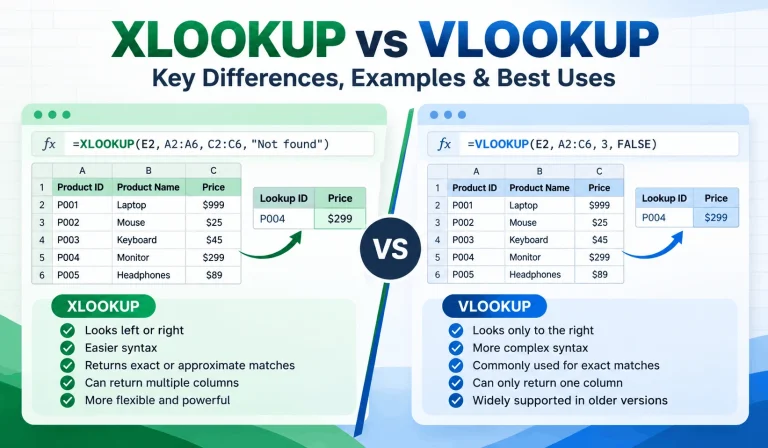
Finding one piece of information in a spreadsheet shouldn’t feel like searching for a needle in a digital haystack. Yet […]
Read article →
Ever spent 20 minutes searching for an AI conversation that took only two minutes to write? You’re not alone in […]
Read article →
Thinking about changing your hair color but worried you might regret it? We’ve all seen a gorgeous hair shade on […]
Read article →